
- Amazon and WooCommerce need one reliable stock source to prevent overselling
- SKU mapping, variants, returns and failed API updates are the main risk areas
- A solid sync flow uses logs, rules, reconciliation and clear ownership
- Small businesses can start with a focused inventory sync before automating wider operations
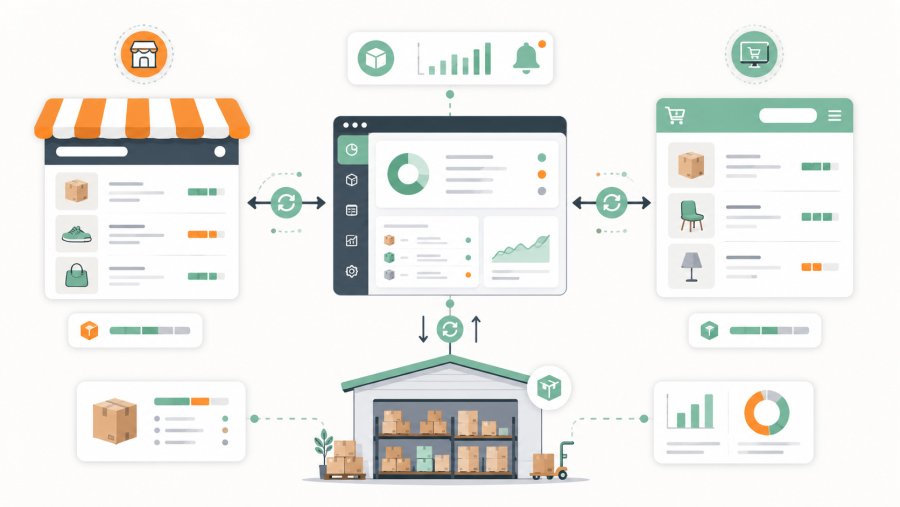
Amazon WooCommerce inventory sync means keeping stock quantities aligned between your Amazon seller account and your WooCommerce store. If you sell the same product on both channels, every order should reduce the available stock and update the other channel quickly. Otherwise, you risk selling items that are no longer available.
This is not only a technical problem. It is an operational problem. Amazon, WooCommerce, your ERP and your warehouse may all hold a quantity for the same SKU. If those numbers disagree, the team needs a clear rule for which one is true.
This guide explains how to design a controlled sync flow, map products, handle stock updates and avoid the common errors that create manual work.
Why Amazon WooCommerce inventory sync matters
When you sell on more than one channel, inventory becomes a promise to the customer. If WooCommerce shows 3 units available and Amazon also shows 3 units available, you may think you can sell 6. In reality, you may only have 3 units in the warehouse.
The problem appears when the last unit sells on Amazon, but WooCommerce still shows it as available. A few minutes later, a second customer buys it on your website. Now the business has two orders and one product.
This creates practical costs:
- Cancelled orders
- Customer service work
- Refunds
- Manual stock corrections
- Lost trust in the online store
- Possible marketplace performance issues
That is why Amazon WooCommerce inventory sync is not just about updating a number. It protects the sales process, the customer experience and the team's time.
WooCommerce offers a REST API that lets external systems connect to store data and services. The official documentation explains how the API is used to connect WooCommerce with other systems: WooCommerce REST API.
Amazon provides the Selling Partner API for programmatic access to seller data and workflows. The official documentation explains the role of SP-API for integrations with Amazon selling accounts: Amazon SP-API docs.
Step 1: choose the source of truth
Before building any sync, choose the system that owns the real stock quantity. This is your source of truth. It may be an ERP, a warehouse management system, WooCommerce, Amazon or a dedicated database.
For many SMEs, the ERP or warehouse system is the safest source. It reflects the physical warehouse and can include offline sales, purchase orders and manual adjustments. However, a smaller online-only business may use WooCommerce as the central source for a while.
Avoid a circular setup. Amazon should not update WooCommerce while WooCommerce updates Amazon and the ERP also corrects both. That creates conflicts that are hard to diagnose.
A simple ownership map may look like this:
- ERP: source of truth for physical stock
- Amazon: sales channel
- WooCommerce: sales channel
- Sync service: reads the source and updates the channels
- Logs: record each update and each error
This rule makes the process easier to support. If a quantity is wrong, the team knows where to fix it first. They do not need to guess which channel should win.
Step 2: map SKUs before syncing stock
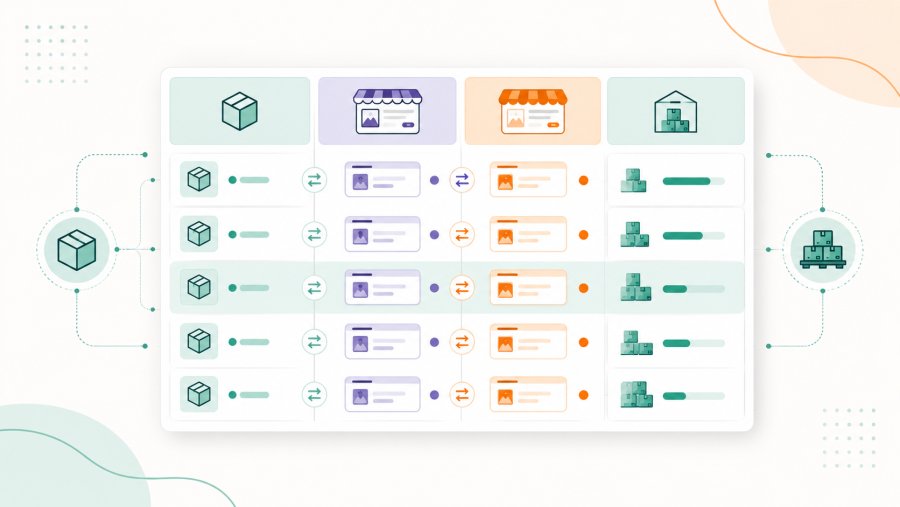
An integration only works when both systems describe the same product in a reliable way. The usual key is the SKU. If one product has different SKUs on Amazon and WooCommerce, you need a mapping table.
Before setting up Amazon WooCommerce inventory sync, export your products from both channels. Then match each WooCommerce SKU with the correct Amazon seller SKU.
A simple mapping file may look like this:
central_sku,woocommerce_sku,amazon_seller_sku,product_type
TSHIRT-BLK-M,TSHIRT-BLK-M,AMZ-TSHIRT-BLK-M,variation
TSHIRT-BLK-L,TSHIRT-BLK-L,AMZ-TSHIRT-BLK-L,variation
MUG-WHITE,MUG-WHITE,AMZ-MUG-WHITE,simple
The best approach is to use one stable central SKU. Channel SKUs can differ, but the mapping must be explicit and reviewed.
Variants need special care. In WooCommerce, a T-shirt may be a variable product with size and colour options. On Amazon, each size and colour can have its own seller SKU. You must sync the exact variation, not only the parent product.
WooCommerce product data includes fields related to stock management, quantity and stock status in its product API resources: WooCommerce API docs.
Step 3: define the stock update rule
After product mapping, define how the quantity moves. A common rule is simple: the source of truth calculates available stock, and the sync service updates Amazon and WooCommerce.
For example, your ERP says SKU MUG-WHITE has 12 units available. The sync sends 12 to WooCommerce and 12 to Amazon. However, some businesses prefer to publish less than the full quantity.
A stock buffer can reduce overselling risk. If you have 12 units physically available, you may publish 10 and keep 2 as a reserve. This gives you a margin for order timing, damaged stock or manual corrections.
{
  "sku": "MUG-WHITE",
  "physical_stock": 12,
  "reserved_stock": 2,
  "publishable_stock": 10,
  "channels": {
    "woocommerce": 10,
    "amazon": 10
  }
}
This rule is easy to explain and test. It also gives the team a clear answer when someone asks why the store shows less stock than the warehouse.
Step 4: choose the right sync frequency
Not every SKU needs the same update speed. A slow product may only need a daily check. A fast product with low stock may need much more frequent updates.
For a practical Amazon WooCommerce inventory sync, group products by risk:
- Fast-moving products
- Low-stock products
- Seasonal items
- Products with many variants
- Products also sold offline
Your sync frequency can then follow different rules:
- Every few minutes for critical SKUs
- Hourly for standard products
- Daily for slow-moving items
- After each order or return when an event is available
Many businesses use a mixed model. A scheduled sync checks all products at regular intervals. An event-based sync reacts when an order, refund or manual update occurs.
sync_rules:
  high_risk_skus:
    frequency: "every_5_minutes"
    stock_buffer: 2
  standard_skus:
    frequency: "hourly"
    stock_buffer: 1
  slow_skus:
    frequency: "daily"
    stock_buffer: 0
The right choice depends on order volume, API limits and the cost of overselling. The key is to make the rule explicit rather than relying on manual checks.

Step 5: update WooCommerce in a controlled way
WooCommerce can receive stock updates through the API, imports or internal tools. For an automated process, the API is usually cleaner because it supports targeted updates.
A simplified stock update payload may look like this:
{
  "manage_stock": true,
  "stock_quantity": 10,
  "stock_status": "instock"
}
This example is not a production recipe. It shows the logic. The integration must identify the correct product or variation, send the right quantity and set the right stock status.
For variable products, update the variation itself. If you only update the parent product, sizes, colours or formats may show the wrong availability.
Every update should be logged:
{
  "timestamp": "2026-06-22T10:15:00",
  "channel": "woocommerce",
  "sku": "MUG-WHITE",
  "previous_quantity": 8,
  "new_quantity": 10,
  "status": "success"
}
This log helps when the team investigates a customer complaint or compares stock between systems.
Step 6: update Amazon and handle marketplace responses
Amazon updates require a stricter process. You need the correct seller account, marketplace, seller SKU and API permissions. You also need to read the response from Amazon after each update.
The Listings Items API provides programmatic access to seller listings. Amazon's documentation explains how it supports access to listing data and operations for selling partner listings: Listings Items API.
A simplified internal record for an Amazon update may look like this:
{
  "seller_sku": "AMZ-MUG-WHITE",
  "marketplace": "UK",
  "available_quantity": 10,
  "source": "erp",
  "reason": "stock_sync"
}
In production, the response matters. If Amazon rejects an update, the sync is not complete. The system should record the error and make it visible.
{
  "timestamp": "2026-06-22T10:16:00",
  "channel": "amazon",
  "sku": "AMZ-MUG-WHITE",
  "requested_quantity": 10,
  "status": "failed",
  "error": "sku_not_found",
  "next_action": "check_sku_mapping"
}
Step 7: handle orders, returns and manual adjustments
Orders reduce stock. Returns may increase it. Manual warehouse corrections can also change the available quantity. A reliable sync must handle all of these events.
A simple order flow looks like this:
- An order arrives from Amazon or WooCommerce
- The system records SKU, quantity and order ID
- The source of truth updates available stock
- The sync sends the new quantity to both channels
- The log records the event and result
The biggest risk is processing the same event twice. This can happen when an order is fetched again during a scheduled job. To prevent that, each event needs a unique ID.
{
  "event_id": "AMZ-ORDER-12345-1",
  "channel": "amazon",
  "sku": "AMZ-MUG-WHITE",
  "quantity": 1,
  "event_type": "order",
  "already_processed": false
}
After processing, the system marks the event as handled. This prevents duplicate stock reductions and makes audits easier.
Step 8: reconcile stock regularly
Even a well-designed sync can drift. An API call may fail. A user may edit a quantity manually. A product may be mapped to the wrong SKU. Therefore, you need a reconciliation step.
Reconciliation compares the source of truth with Amazon and WooCommerce. If the system finds a difference, it should flag it or correct it according to your rules.
central_sku,erp_stock,woocommerce_stock,amazon_stock,status
MUG-WHITE,10,10,10,ok
TSHIRT-BLK-M,4,4,2,check_required
BAG-BLUE,0,1,0,woocommerce_error
Reconciliation is especially useful for fast-moving products and items managed by several people. It helps catch issues before they create orders that cannot be fulfilled.
If WooCommerce stock does not update correctly, the cause may involve cache, plugins, imports or API errors. We covered this wider issue in our guide to WooCommerce stock not updating.
Common mistakes to avoid
The first mistake is starting with a plugin or connector before defining business rules. A tool can move data, but it cannot decide which system should win.
The second mistake is ignoring variants. If you sell sizes, colours or formats, sync each variation. Parent-level stock can create false availability.
The third mistake is ignoring failed API calls. A product may not exist. A token may expire. A marketplace may reject an update. Every case needs a clear log.
The fourth mistake is skipping reconciliation. Syncing data is not enough. You also need a periodic check that proves the systems are aligned.
A good inventory sync is not the one that works only on a perfect day. It is the one that shows the team what to do when something goes wrong.
Frequently asked questions
How do I sync inventory between Amazon and WooCommerce?
Choose one source of truth, map SKUs between both channels and update quantities through a controlled integration. The flow should handle orders, returns, variants, failed updates and logs.
Can WooCommerce update Amazon stock?
Yes, if WooCommerce is your reliable stock source and the integration can update Amazon listings. You must still map the correct Amazon seller SKUs and handle rejected updates.
Can Amazon be the source of truth for inventory?
It can work in some narrow cases, especially if Amazon is your main channel. If you also sell through WooCommerce, offline or other marketplaces, an ERP or warehouse system is usually safer as the central source.
How often should Amazon and WooCommerce stock sync?
It depends on the risk of overselling. Fast-moving or low-stock products need frequent updates. Slow products can often sync less often, as long as reconciliation checks catch differences.
Do I need an ERP for Amazon WooCommerce inventory sync?
Not always. A small catalogue can start with a simpler setup. As orders, variants and channels grow, a central ERP or warehouse system makes the process more stable.