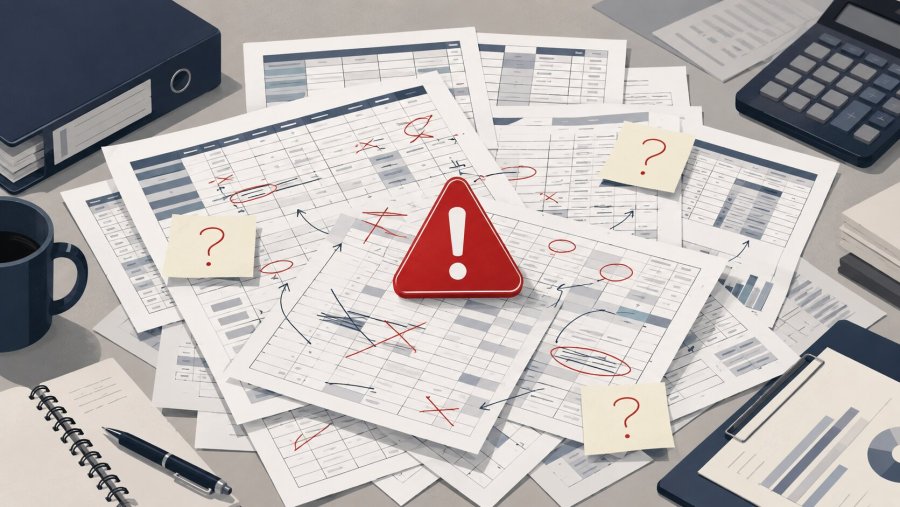
- Excel is useful at the start, but it becomes fragile when stock, invoices and sales volumes grow
- The operational risk comes from manual work, duplicate files, weak controls and outdated data
- SMEs should automate repeated back-office tasks before spreadsheets become a hidden system
- The goal is not to stop using Excel, but to use it in the right place
Many SMEs start managing inventory and invoices with Excel because it feels practical. The file is cheap, familiar and easy to change. However, this same flexibility can become a risk when orders grow, more people edit the data and the business needs reliable links between e-commerce, accounting and stock.
My view is clear: Excel is a strong tool for analysis, checks and quick reporting. It should not become the operating core of a growing business. When a spreadsheet decides what is in stock, which supplier invoices are pending and which numbers feed cash flow, the company is not saving time. It is building risk into daily work.
Why Excel feels right at the beginning
At the start, Excel solves real problems. A purchasing manager can build a table with product codes, quantities and reorder levels. The admin team can track invoices received, paid and still to approve. The owner can open the file and get a fast view of what is happening.
This is why small businesses rely on it. There is no long setup, no heavy training and no large upfront project. Moreover, Excel is widely documented and has many useful features for sorting, filtering and checking data. The official Microsoft Excel support page is a good reference for its intended use.
The issue begins when the spreadsheet no longer supports decisions, but replaces the process itself. At that point, each manual edit can affect stock availability, supplier payments, customer orders and margin reports.
When managing inventory and invoices with Excel becomes risky
Managing inventory and invoices with Excel becomes risky when the file starts to exist in too many versions. One copy sits on a desktop. Another is in cloud storage. A third was sent by email. A fourth was edited by someone before a meeting. Soon, nobody knows which version is the source of truth.
The next sign is repeated manual work. Someone exports orders, copies lines into a file, updates stock, checks supplier invoices and then moves the same data into the accounting system. This looks simple. However, each handover adds a chance of delay or error.
The third sign is weak traceability. If a quantity changes, who changed it? When did it happen? Why was the value updated? In many spreadsheet workflows, these answers are hard to prove. For an SME, this can look like a minor issue until stock levels, invoices or payments need to be explained.
The risk is not only accounting risk
Many owners see this as an admin problem. It is not. Poor spreadsheet control also affects sales, logistics and customer service. Wrong stock can lead to overselling. A late supplier invoice can distort margins. A copied value can delay a shipment.
Therefore, the question is not whether Excel is good or bad. The real question is whether the business has outgrown the way it uses Excel.
The hidden cost of manual spreadsheet work
The cost of a spreadsheet error is not just the time needed to fix it. There is also the time needed to find it. There is internal back-and-forth. There is the cost of a delayed shipment. There is the risk of paying an invoice twice or missing a supplier deadline.
Another hidden cost is dependence on one person. Often, the file works because one employee knows the logic behind it. They know which tab matters, which column must not be touched and which formula breaks if a row is moved.
That is not a process. It is personal knowledge stored in a fragile format. If that person is away, changes role or leaves the company, the process becomes weaker overnight.
The typical SME case: e-commerce, stock and supplier invoices
Picture a small business that sells online and through a physical store. Orders arrive from WooCommerce. Stock is held in a management system. Supplier invoices arrive by email or through portals. For a while, one Excel file keeps everything together.
Then the first problems appear. Online stock no longer matches real stock. Some products look available when they are not. Supplier invoices get recorded late. The owner checks margins, but the numbers are incomplete.
WooCommerce offers official APIs for reading and updating store data through technical integrations. The WooCommerce REST API documentation explains that technical layer. However, connecting e-commerce, inventory and accounting needs a designed workflow, not a chain of copy and paste tasks.
When the issue is stock not staying aligned between WooCommerce and the internal system, the business needs a controlled sync process.
Excel should stay, but in the right role
Saying that Excel can become risky does not mean removing it from the company. Many SMEs will keep using it for analysis, exports, planning and quick reports. That is sensible.
The point is different: Excel should not act as the hidden database of the company. Orders should live in the e-commerce platform. Stock should live in the inventory or management system. Invoices should live in the right accounting workflow. Automation should connect those systems and reduce manual steps.
Data protection also matters. Spreadsheets often contain customer names, supplier details and payment information. For general context on personal data rules in Europe, the European Commission provides an official data protection overview.
Excel can still be a useful window into the business. It can help teams read, filter and check data. However, it should not be the place where people manually decide which number is true.
Signs it is time to change approach
An SME should change approach before the spreadsheet breaks under pressure. Waiting for a serious error is not a strategy. It is better to act while the process is still clear and the team can explain how work flows today.
- Several people edit the same operational file
- Stock values are often corrected by hand
- Supplier invoices are checked with manual comparisons
- Data is copied between e-commerce, accounting and management systems
- Errors appear only after a sale, shipment or month-end review
If these signs are present, continuing managing inventory and invoices with Excel is no longer a safe habit. It becomes operational debt. Each week may feel cheap, but the risk grows quietly.
Supplier invoices deserve special attention. The goal should be to reduce manual entry, duplicate records and visual checks across different files.
Conclusion: the real risk is getting used to the workaround
The biggest risk is not Excel itself. The biggest risk is accepting a fragile process because it has worked so far. That sentence often stays true until the day an error becomes expensive.
Managing inventory and invoices with Excel can be fine in an early phase, with low volumes and few people involved. But as the business grows, the spreadsheet must give way to stronger, more traceable and better connected processes.
SMEs do not need needless complexity. They need less repeated work, fewer avoidable errors and better links between the tools they already use. In that sense, back-office automation is not a technical luxury. It is a practical choice for operational continuity.