

Projects
Between an order and a shelf: an experiment born of curiosity
A spare relay board led to an order-picking software prototype. The story of an experiment in workflow design, error handling and physical signals.
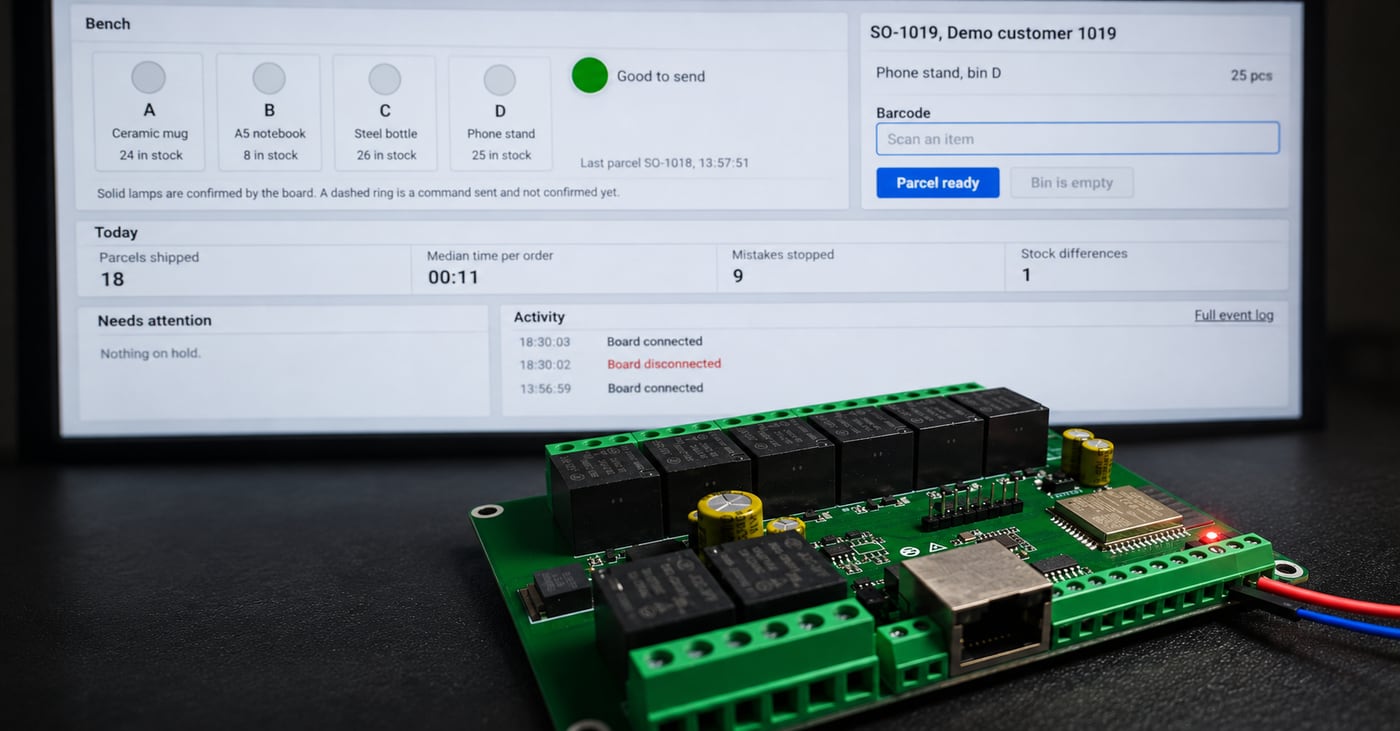
I had a relay board that had been sitting unused for a few years. It was a Dingtian DT-R008 (opens in a new tab) with eight inputs and eight relays, left over from an earlier project. The obvious way to reuse it was to build a page with eight switches and turn the relays on and off. That would have worked, but it would not have said much about the kind of software problems I like solving.
I wanted to find out what happens when a signal from a physical device becomes part of a business workflow. Not just a light turning on, but an order progressing, a quantity being checked, or a mistake being recorded. That question became Physical Workflow Bridge, a personal software integration experiment rather than a product or a client project.
The board came before the problem
In my usual work, I try to understand a process before deciding which technology it needs. This time the order was reversed. I already had the board, and I was looking for a useful setting in which to experiment with it. I had not selected the DT-R008 as the ideal hardware for an order-picking station. It might not be the right choice for a production installation at all.
My first idea was a generic test station. I also considered something closer to a production line, but it felt distant from the operations I usually deal with through Levixflow. Orders, stock, fulfilment and the connections between systems were a better fit. So I settled on a small pick-to-light packing bench: a light points to the bin containing an item, while software keeps track of what the operator does.
One order, four bins and a few important decisions
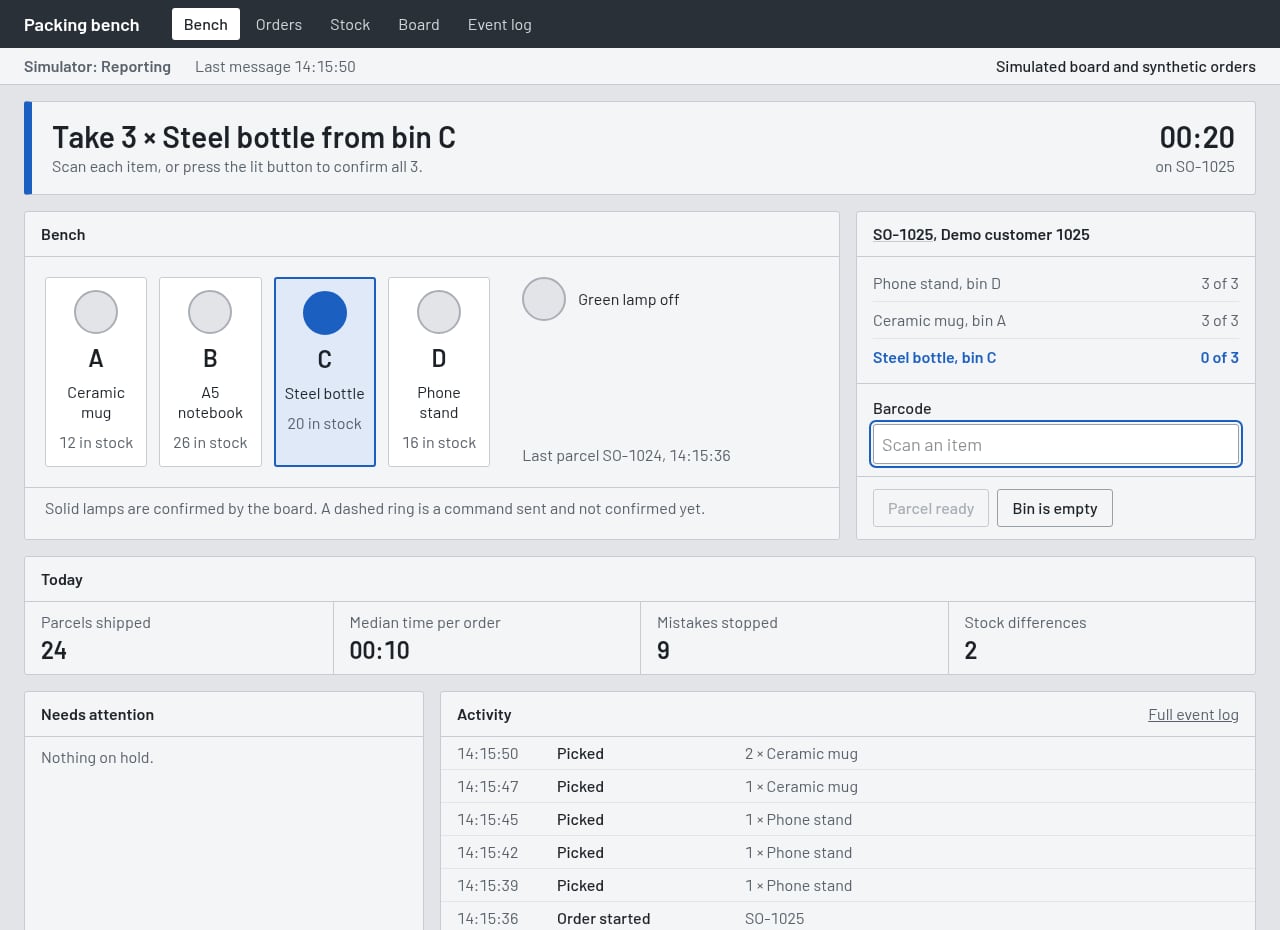
I imagined four bins, each holding a different product. When an order starts, the panel shows what to pick and which bin to use. The operator can confirm the pick by pressing a button or scanning a barcode. Those actions are not interchangeable evidence. A scan checks whether the code matches the expected item; a button records a person’s confirmation. Neither can establish, on its own, what ended up inside the parcel.
The application handles synthetic orders, stock on hand and reserved quantities, pick confirmations, exceptions and an event history. It can accept an order in a WooCommerce-like format and expose stock figures through a software interface. That gives a physical action a place within a wider information flow, rather than leaving it as an isolated button press.
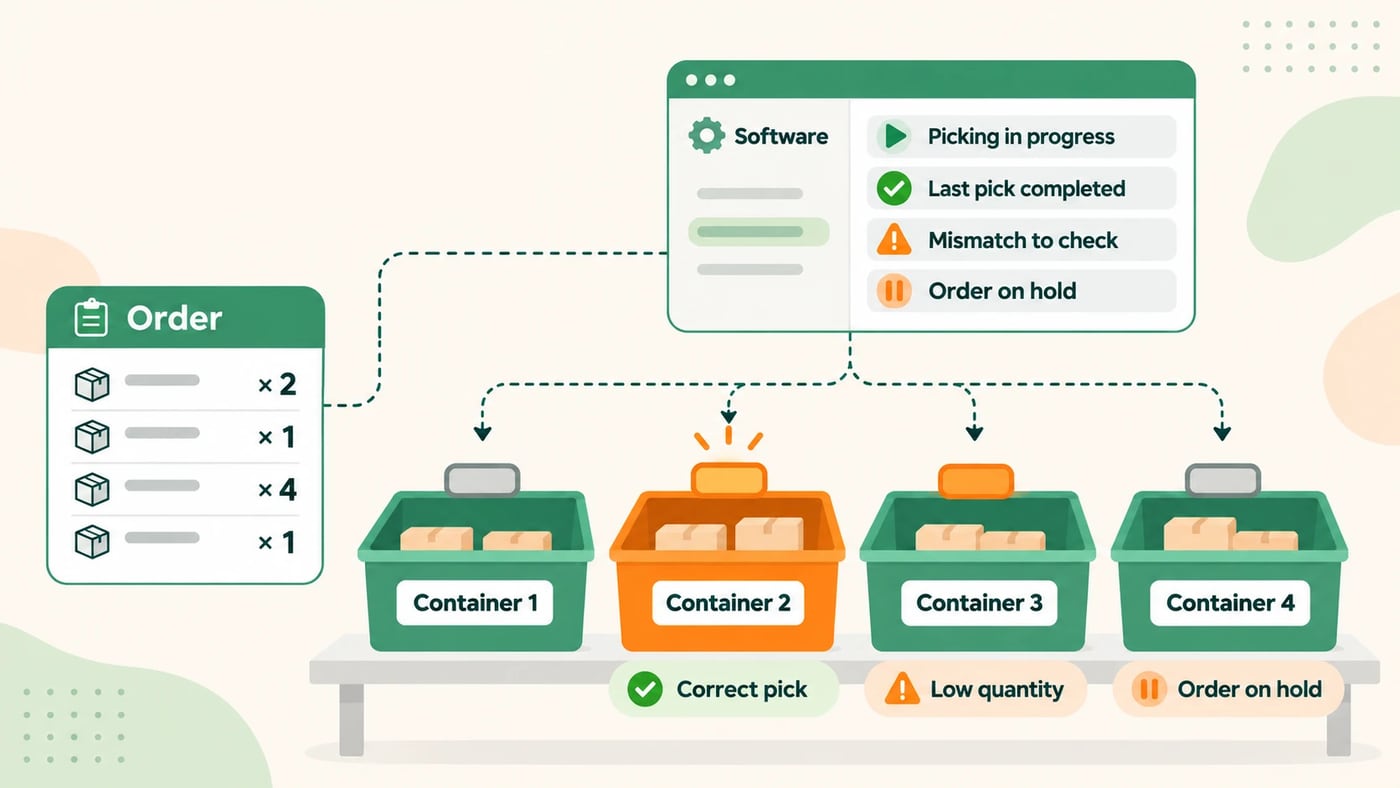
The harder questions were when a pick should count, how it should change the order, and what to do when the information did not match.
What I deliberately left out
My early sketches included a conveyor belt, a motor and limit switches. I removed all three. A light indicating a bin, a way to confirm the action and a set of clear workflow rules were enough to test the idea. The extra hardware would have made the demonstration more elaborate, not more informative.
I also decided not to buy lights, buttons and a frame just to assemble a physical bench for the video. Instead, I built the working application, added a board simulator and created an animation of the bench I had in mind. I could focus on the behaviour without suggesting I had built a warehouse installation.
I did separately connect the actual DT-R008 and test its communication, relays, command confirmations, one physical input and several disconnection situations. But the four-bin physical bench was never built.
The video shows two different things
The demonstration below has a split screen. On the left is an animated bench with bins, lights and an operator’s actions. On the right is the application I actually built. During the recording, the application is connected to the board simulator, not to the physical DT-R008. The orders, customers and quantities are synthetic too.
The sequence follows an order, a wrong item, parcel completion and an empty-bin report. It is not warehouse footage. It makes the handoff between a person’s action and software decisions visible.
Mistakes are more revealing than a perfect run
If an operator scans a product that is not on the current pick line, an alert alone is not enough. In this prototype, the confirmation is rejected, the order stays where it is and the mistake is recorded. It is a small distinction, but it matters: displaying instructions is different from enforcing a process.
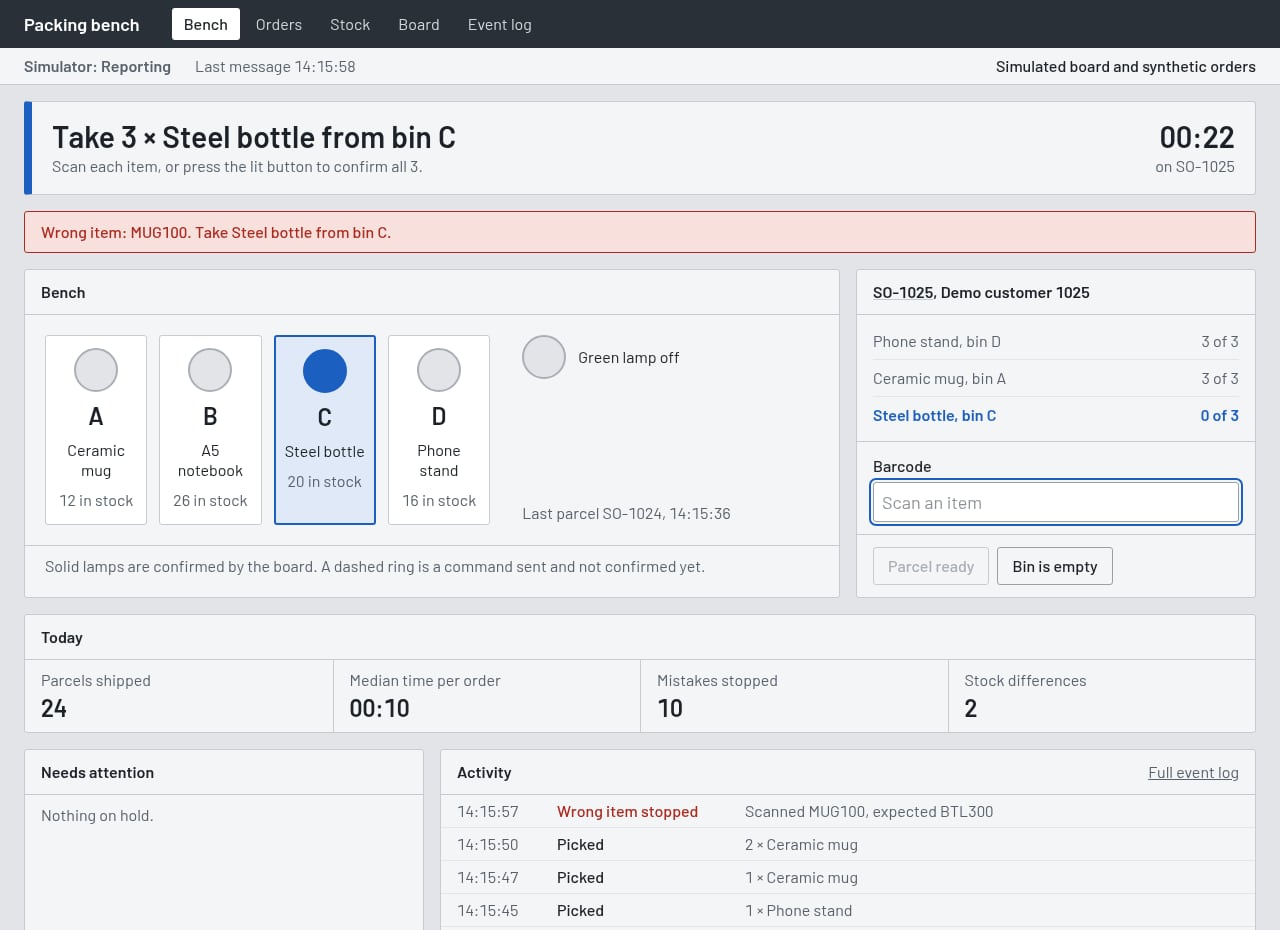
I also added an empty-bin exception. The software may show stock available while the operator finds nothing in the indicated bin. Rather than letting the workflow continue silently, the application records the discrepancy and places the affected order on hold until the stock issue is addressed.
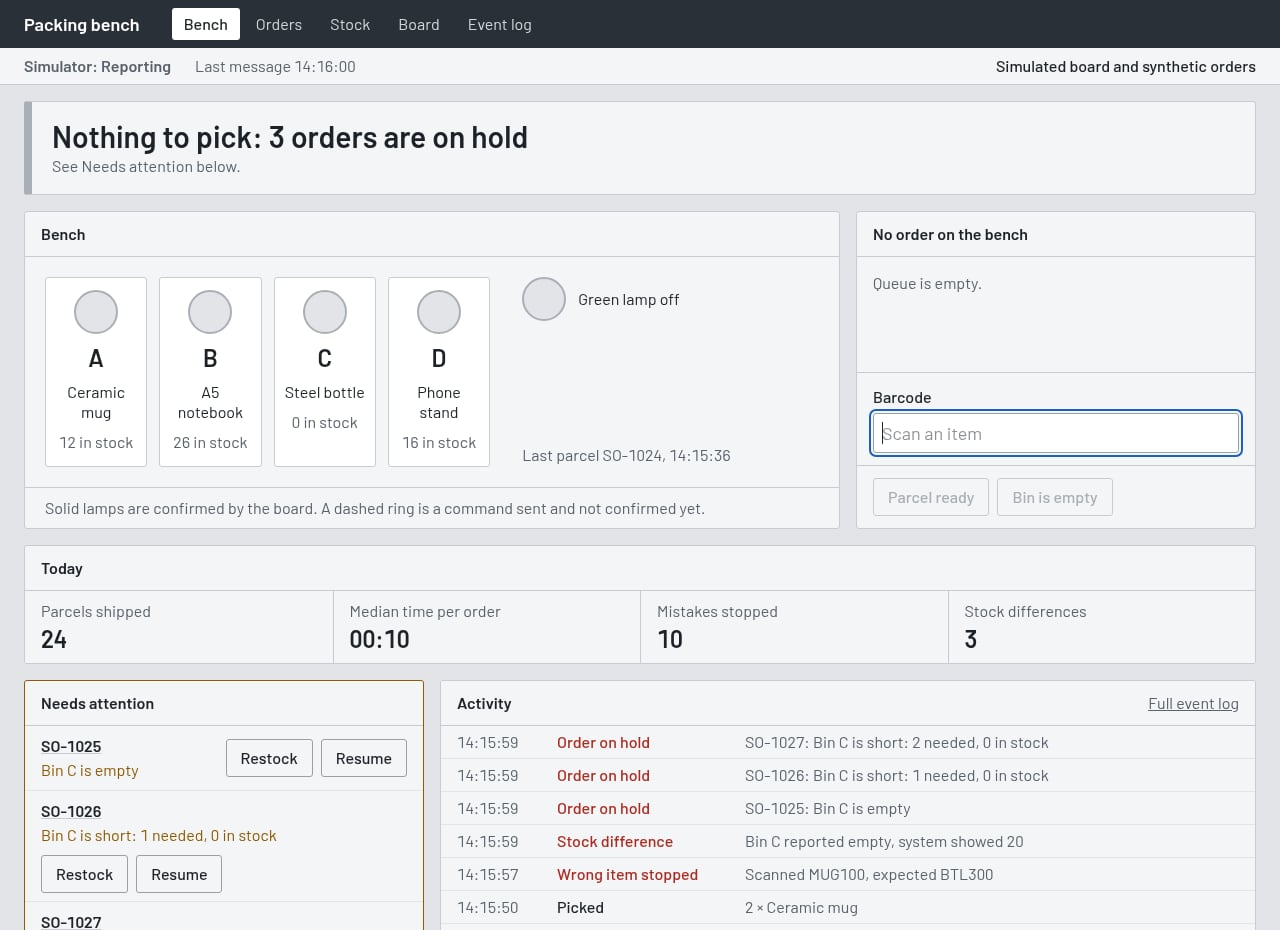
This is familiar territory in business software integration. Two sources disagree, and the useful response is not to conceal the mismatch. It is to make the discrepancy visible and give it a place in the workflow.
What happens when the device goes quiet
The most useful lesson came from testing the physical board. Sending a command does not mean the command was carried out. The software needs to observe the relay returning the expected state before treating the action as confirmed. Silence matters too. If no new message arrives for 45 seconds, the panel labels its information as the last known state, rather than pretending it has a current reading, and refuses new scans.
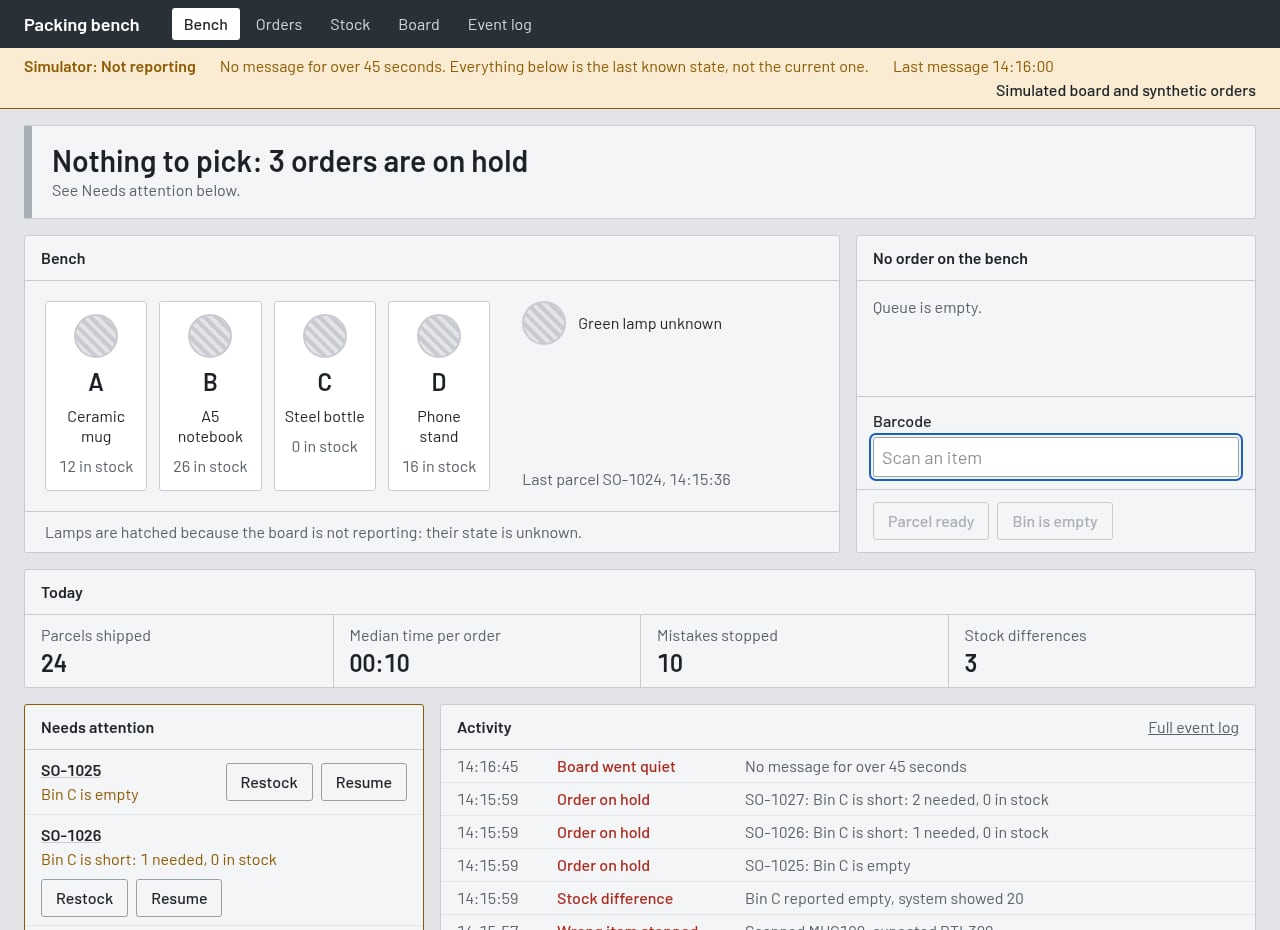
During a test on 1 November, the DT-R008 reconnected and the relay assigned to the green lamp switched off without a command from the application. A restart is one possible explanation, but I did not establish the cause. The software compared the reported state with what the open order required, then restored the output. It happened during ordinary testing, not as a scripted demonstration.
That moment captured why I prefer testing behaviour over showing an ideal sequence of screens. A workflow should account for what it does not know, as well as what it knows.
What I took away from it
Physical Workflow Bridge is still a prototype. No customer has deployed it, there is no finished physical bench and I have no productivity or savings figures to claim. It was designed for experiments on a controlled local network, not for direct production use. Being explicit about those limits is part of explaining what I actually tested.
The code is public. If you want to experiment with a similar board, or just see how it is put together, everything is on GitHub (opens in a new tab): the application, the board simulator and the setup instructions. It is released under the MIT licence, so you are free to use and modify it, with the same caveat as above: it was built for a test setup on a local network, not for a live warehouse.
At Levixflow, the problems I work on usually look less visible than a light over a bin: ecommerce orders moving into management software, stock figures that need reconciling, documents that need checking, or manual steps between otherwise useful systems. The same judgement matters when deciding whether a company needs a new ERP or better integration. The question is what part of the process is really missing.
This experiment does not provide a ready-made answer. It gave me a different way to explore a familiar kind of problem, starting with a spare board and ending with questions about orders, confirmations, exceptions and information that must stay consistent. Switching on a relay was the easy part. Giving that signal a meaning, especially when events did not go to plan, was where the interesting work began.
Frequently asked questions
Practical FAQ
Is Physical Workflow Bridge a commercial product or a deployed warehouse system?
No. It is a personal demonstration prototype. The application runs, but no physical picking bench was built and it has not been deployed for a customer.
Is the hardware in the video real?
The bench is animated. The panel is the working application recorded with a simulated board and synthetic data. The actual Dingtian board was tested separately.
What happens when a wrong item is scanned or the device stops reporting?
The wrong scan is rejected and logged without advancing the order. After 45 seconds without new device messages, the panel marks the data as last-known and prevents further scans.